Kids Learn Letter Sounds
Intellijoy Educational Games for KidsEducational
4.3178.00 Reviews
- Version
- 2.5.1
- Installs
- 50.00K
- Age Rating
- Everyone
Screenshots
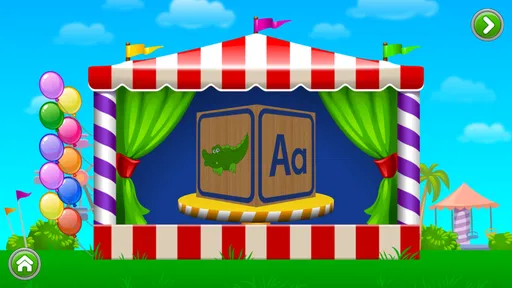
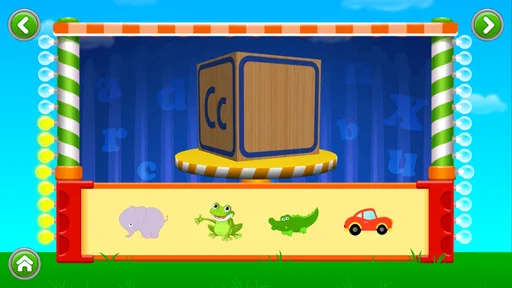
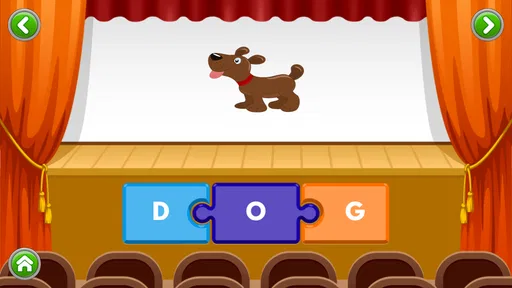
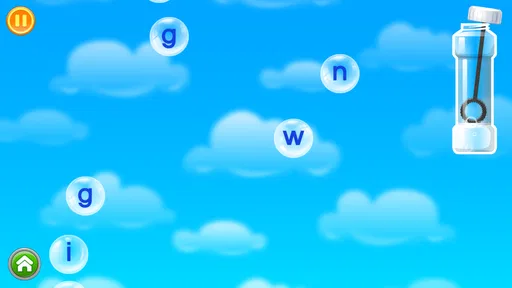
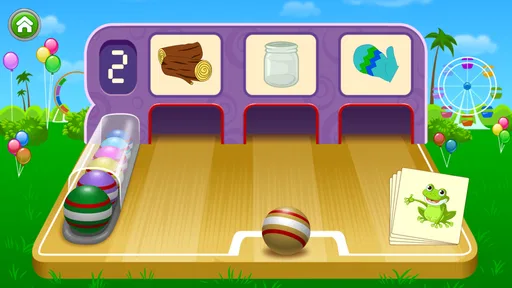
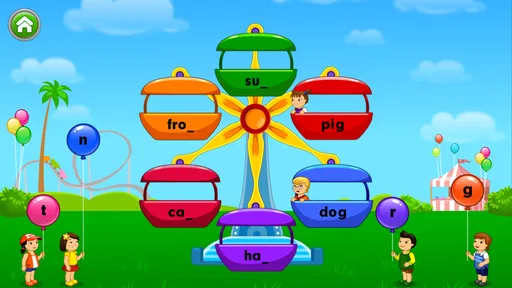
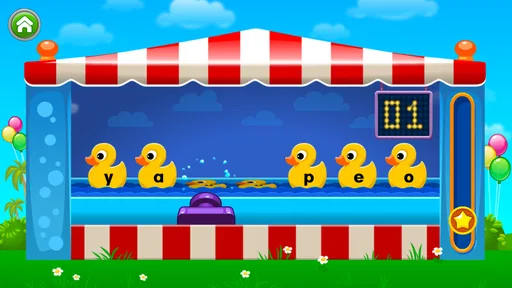
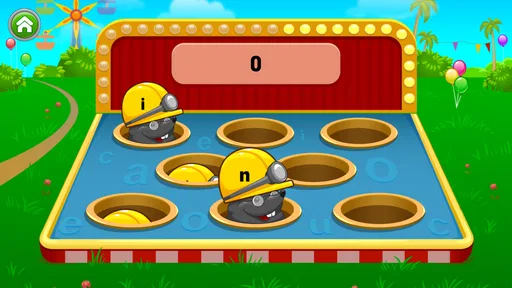
Our Review of Kids Learn Letter Sounds
 Analysis by Appyee
Learning letter sounds can be a surprisingly uneven experience for young children. Some children enjoy repeating sounds immediately, while others need a calmer pace, more visual guidance, or many short attempts before the connection becomes clear. I spent time with Kids Learn Letter Sounds with that difference in mind, looking not only at whether it teaches phonics, but also at how comfortably a child can use it. My overall impression is that it is a focused educational game from Intellijoy Educational Games for Kids, aimed at children who are beginning to connect written letters with the sounds they represent.
The game costs $2.99, carries an Everyone age rating, and has reached over 50 thousand installs. Its average rating is 4.3 from around 997 ratings, with about 178 written reviews. Those figures suggest a modest but established audience rather than a huge mainstream game, which fits the experience itself: this is a compact learning tool with a clear purpose, not an expansive entertainment app.
What makes it worth considering is its narrow focus. Instead of trying to teach reading, spelling, stories, numbers, and handwriting all at once, it concentrates on letter sounds. That can be useful when a child is ready for this particular step. It can also feel limited if you are looking for a complete early-reading curriculum. I would treat it as a practice companion, especially for short sessions at home, rather than as the only reading resource a child uses.
How the learning experience reads and guides a child
I focus here on how the game’s visual guidance and spoken letter sounds can help a child stay with one small learning task, rather than turning the screen into a maze of choices. In my experience, a parent can make that guidance more useful by pausing after a sound and inviting the child to notice the same letter somewhere nearby. That kind of shared practice leads naturally to how the activity fits into an ordinary day.
A simple visual path helps early learners stay oriented
The strongest part of this kind of design is its directness. A child does not need to understand a complicated menu system before reaching the learning activity. The central task is easy to explain: look at a letter, listen to its sound, and respond. For children who are still learning how apps work, that reduced decision-making matters. Every extra button or branching screen can turn a phonics exercise into a navigation lesson.
I found the experience most suitable for children who recognize at least some letter shapes but are still developing sound awareness. A child who already reads simple words may find the material too basic, while a child who cannot yet distinguish several letter forms may need an adult nearby to explain what is happening. The game can reinforce recognition, but it should not be expected to replace conversation, picture books, or hands-on letter play.
Readability is especially important in an early-learning game. Large, clearly presented letters are easier to process than crowded text, and a limited amount of written language reduces the burden on children who cannot read instructions independently. The practical advantage is that a parent can introduce the activity verbally and then let the child attempt it without having to decode long prompts.
That said, visual simplicity is not the same as universal clarity. Children with reduced vision, visual processing differences, or difficulty distinguishing similar letter shapes may still need individual support. I would watch how a child handles pairs such as letters with curved forms or similar lines, then decide whether the game is helping recognition or merely encouraging guessing.
Why short, repeated practice works better than long sessions
Phonics practice usually benefits from repetition, but young children often lose focus before adults expect them to. I would use this game in brief turns rather than treating it like a lesson that must be completed from beginning to end. A few attempts before breakfast, after school, or while waiting for an appointment can be more productive than one long sitting.
A useful routine is to let the child try first, then repeat the sound together only when needed. If an adult answers every time, the child may appear successful without building independent recall. If the child is left to struggle for too long, the activity can become frustrating. The best balance is gentle prompting: “Look at the letter,” “listen again,” and “what sound did you hear?”
This is one of the less obvious strengths of a focused letter-sound game: it gives adults a small, repeatable activity that can fit around daily life. It is not necessary to schedule a formal lesson. However, that same narrow focus means parents need to supply the broader context. After a session, I would point out the same letter on a cereal box, sign, or favorite book so the sound does not remain isolated inside the app.
Navigation for children who need more time
Some children move quickly through touch-based activities, while others tap hesitantly, repeat actions, or need extra time to understand cause and effect. A parent should observe whether the game treats slow responses as part of learning or whether the child feels pushed to act quickly. For a child with developmental differences, the most useful approach may be to sit alongside the game and turn each interaction into a shared activity.
I would also avoid assuming that a child who taps the right place has understood the sound. Ask the child to say the sound afterward, or offer a familiar word that begins with it. This simple check helps separate visual guessing from genuine phonics learning. It is a practical way to get more value from the game without needing any additional tools.
Motor and sensory considerations during play
Touch interaction can be inviting because it removes the need for a keyboard or mouse. A child can work directly with the screen, which is often easier for early learners than coordinating a pointer with a small target. Still, direct touch is not automatically easy for everyone. Children with limited fine-motor control, tremors, reduced strength, or difficulty isolating one finger may need a larger device, a stable surface, or an adult to help with taps.
One helpful setup is to place the device flat or at a slight angle rather than asking a child to hold it in the air. That reduces fatigue and makes accidental movement less likely. I would also keep the screen at a comfortable distance and remove distractions from the surrounding area. These changes do not alter the game, but they can make the difference between a child engaging with the learning task and focusing entirely on controlling the device.
For children who are sensitive to sound, the audio deserves attention before independent use. Letter-sound practice depends on hearing, so a child who is sensitive to sudden or repeated audio may find the activity tiring even if the visual side is comfortable. I would begin with the device volume low and sit nearby. If the child covers their ears, becomes tense, or avoids repeating the activity, that is a sign to shorten the session or choose a quieter learning method.
Children with hearing differences may also need another route into the lesson. Because the main subject is sound, the game is naturally less suitable as a standalone resource for a child who cannot access its spoken audio clearly. A parent or teacher can add visual explanation and signed or written reinforcement, but that becomes a supported activity rather than fully independent use.
Different learning profiles need different support
A child with attention differences may benefit from the narrow goal and quick feedback, particularly when the activity is used before fatigue sets in. On the other hand, a child who needs frequent movement may not respond well to a seated session that lasts too long. I would alternate screen practice with physical activities such as tracing a letter in sand, finding the letter around the room, or saying words that begin with the target sound.
For a child with language delays, the game may provide a useful prompt but not enough explanation. The adult can name the letter, model the sound slowly, and connect it to a familiar word. For a child who learns better through repetition, repeating the same small group of letters on different days may be more effective than constantly introducing new material. The game works best when the adult adapts the pace rather than expecting the app to understand every learning profile automatically.
Using it at home, while traveling, and alongside other learning
In an everyday situation, I can imagine using this game during a short after-school wind-down. A parent could choose a quiet place, give the child a few minutes to try independently, and then spend another minute connecting one sound to a real object in the room. That creates a complete mini-lesson without turning the evening into homework. The important part is stopping while the child is still comfortable, rather than continuing until the activity feels like a chore.
It can also suit travel or waiting-room moments because the task is self-contained and does not require a full collection of books or flashcards. Situational access depends on the device and surroundings, though. A noisy car, crowded waiting area, or bright outdoor setting may make listening and seeing more difficult. I would not rely on it as a calming activity if the child is already overwhelmed, because a phonics game still asks for attention and accurate listening.
At home, the game is easier to use when the adult establishes a predictable pattern. For example, start with a spoken reminder of the goal, allow a few independent attempts, and finish by finding one matching letter in a book. This routine helps children understand that the app is one part of reading practice, not a reward that must be played for a long time.
Compared with ordinary alphabet videos, a letter-sound game can invite more active participation. A video may be easier for a child who needs to watch and listen without tapping, but it can also encourage passive viewing. Compared with physical flashcards, the app offers audio and immediate interaction in one place, while cards make it easier to slow down, point, trace, and talk. Compared with a broad reading app, this one may be less entertaining and less varied, but its limited scope can be useful when a child needs concentrated practice.
The trade-off is that parents may need to provide the flexibility that a physical activity naturally offers. With cards or magnetic letters, you can enlarge the lesson, move around, or change the sensory experience immediately. With this game, the child remains within the app’s presentation. That is not a flaw for every family, but it matters if your child learns best by touching, moving, building, or acting out ideas.
What the version and platform details mean in practice
The current version is 2.5.1, and the minimum operating-system requirement is 7.1. That makes compatibility a practical question before purchase, especially if the child will use an older device. I would check the device first and also consider whether its screen is large enough for comfortable tapping. A phone may technically run the game but still be less comfortable for a child than a larger screen.
The price is a one-time $2.99 purchase, which is easy to evaluate against your intended use. If you want a small, dedicated activity for letter sounds, that cost is reasonable. If you are comparing it with a broader subscription service containing many subjects and adaptive lessons, the value calculation changes. The right choice depends on whether you need this specific skill practiced repeatedly or want a complete early-learning library.
The Everyone rating makes it broadly appropriate for children, but an age label cannot tell you whether the teaching level matches your child. A preschooler who is just noticing letters may need an adult introduction. An older child who already understands common letter sounds may gain little from it. I would judge suitability by the child’s current skill, attention span, and response to audio-based practice rather than by the rating alone.
Remaining barriers parents should plan around
The biggest limitation is the narrowness of the learning target. Knowing individual sounds is important, but it is only one part of reading. Children also need to hear sounds in words, blend them, recognize vocabulary, and eventually understand what they read. This game can support the first step, but I would not use success inside it as proof that a child is ready to read independently.
Another barrier is the possibility of uneven adult support. A confident early reader may use the game alone, but a child with speech, hearing, vision, motor, or attention differences may need someone to adjust the environment and interpret the activity. That is not a reason to reject it, but it does mean the app should be evaluated as part of a routine, not as an isolated solution.
I would also be cautious about using it when a child is already tired or frustrated. Letter sounds can become emotionally loaded when adults repeatedly ask for the correct answer. If the child begins guessing, tapping randomly, or refusing to continue, stop and return later. The most productive response may be to use a physical letter activity or a story instead of pressing for more screen practice.
For families seeking strong accessibility controls, extensive customization, or a clearly adaptive teaching path, a different educational product may be a better fit. Likewise, children who need visual-only instruction or a highly tactile method may receive more from cards, blocks, tracing materials, or an educator-led activity. I would choose this game when its audio-centered, focused approach matches the child, not simply because it is convenient.
My inclusive verdict on the learning experience
After looking at how it works across different abilities and settings, I see Kids Learn Letter Sounds as a useful, deliberately focused tool rather than a complete reading program. Its main strength is that it keeps attention on the connection between letters and sounds, making it suitable for short, repeated practice. The clean goal can help children who become lost in apps with too many subjects or rewards.
Its best audience is a young learner who can access spoken audio, see the letter presentation comfortably, and manage basic touch interaction with some patience. It can also work well for a child who needs repetition, provided an adult adjusts the pace and checks that the child is listening rather than guessing. In a family routine, I would pair it with books, spoken word games, and real-world letter spotting.
I would skip it as a primary choice if your child needs a fully tactile approach, extensive accessibility customization, or instruction that moves beyond isolated letter sounds. I would also look elsewhere for a broader curriculum or a system that automatically adapts to advanced reading skills. The game’s simplicity is its advantage, but it is also the reason it will not meet every learner’s needs.
For the right child, the modest price and focused design make it an easy addition to a home learning routine. My recommendation is to use it in short sessions, keep the device setup comfortable, listen for signs of sensory overload, and always connect the sounds back to real words. Used that way, it offers a practical bridge between recognizing letters and beginning to understand what those letters do.
Verdict
Strengths of Kids Learn Letter Sounds
- Clear letter-sound lessons designed for early learners.
- Colorful visuals help keep children focused during practice.
- Simple controls are easy for young children to understand.
- Useful for practicing phonics independently at home.
- Short activities fit well into brief learning sessions.
Limitations of Kids Learn Letter Sounds
- Limited value for children who already know basic letter sounds.
- Some activities may become repetitive after frequent use.
- Requires adult guidance to reinforce pronunciation and reading skills.
- Progress tracking may not be detailed enough for teachers.
- Audio quality and pronunciation may vary by device settings.
Other Releases by Intellijoy Educational Games for Kids
View All
Kids Numbers and Math
Educational4.1

Kids Learn to Read
Educational4.3

Kids Learn Shapes 2
Educational4.3

Kids Telling Time
Educational4.2
Similar Picks in This Category
View All
Little Panda Policeman
BabyBus4.0

Monster Trucks Game for Kids 2
Raz Games4.1

Little Panda's Chinese Recipes
BabyBus4.4

Little Panda's Restaurant
BabyBus4.4

Little Panda's Ice Cream Games
BabyBus4.3

Baby Panda Care
BabyBus3.8
Frequently Asked Questions
What is Kids Learn Letter Sounds?
Kids Learn Letter Sounds is an educational app designed to help young children recognize letters and connect them with their corresponding sounds. Through colorful visuals, spoken pronunciation, and interactive activities, children can practice early phonics skills in a simple and engaging way. It is mainly intended for preschoolers and children beginning to learn the alphabet and basic reading concepts.
What age group is Kids Learn Letter Sounds suitable for?
The app is generally suitable for preschool and early kindergarten children, especially those who are learning the alphabet for the first time or need extra practice with phonics. Younger children may need help navigating the activities, while older beginners can use it for revision. Parents and teachers should consider the child’s learning level, attention span, and familiarity with English letter sounds before downloading it.
Does Kids Learn Letter Sounds require an internet connection?
Many learning activities in Kids Learn Letter Sounds may be available after installation without a constant internet connection, which can make it convenient for travel or classroom use. However, internet access may still be required for the initial download, updates, advertisements, or optional content, depending on the version and device. Checking the app-store listing is recommended before relying on completely offline use.
Is Kids Learn Letter Sounds free to download and use?
Kids Learn Letter Sounds may be offered as a free download, but the available features can vary depending on the platform and version. Some editions may include advertisements, optional purchases, or additional learning content that requires payment. Parents should review the pricing details, in-app purchase settings, and privacy information in the Google Play Store or Apple App Store before allowing a child to use the app.
Is Kids Learn Letter Sounds safe and useful for children?
The app can be a useful supplementary tool for introducing letter recognition and basic phonics, particularly when children use it regularly with adult guidance. It should not replace reading together, speaking practice, handwriting activities, or structured preschool instruction. Parents should supervise younger users, check the app’s permissions and advertising policy, and make sure the pronunciation and learning approach are appropriate for the child’s language and educational needs.
Play our best games!


